


I approached Bible Gateway as more than a digital shelf of religious books. In everyday use, it is a Bible-reading, listening, and study app from HarperCollins Christian Publishing, aimed at people who want access to scripture on a phone or tablet rather than relying on a printed copy. Its free entry point makes it easy to try, while optional purchases give the experience a more layered structure than the simple store summary suggests.
My main question was not only whether it could help me read the Bible, but also how comfortably it worked in different situations. Could I find a passage without getting lost? Was it practical when my eyes were tired? Did listening make it useful during travel or household tasks? And would someone with different reading, movement, hearing, or concentration needs find enough flexibility to make it worthwhile? The answer is mixed, but there is genuine value here for the right reader.
How Bible Gateway works in real reading situations
Finding a passage without turning the app into a chore
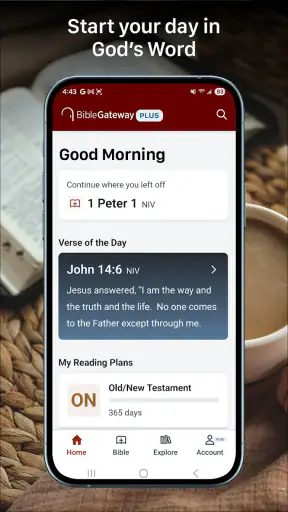
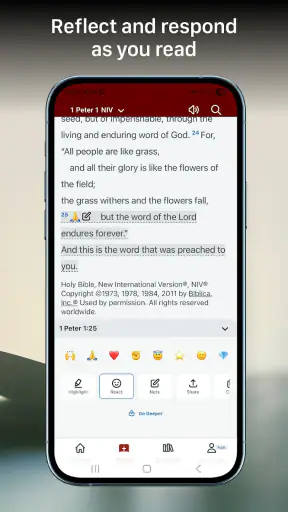
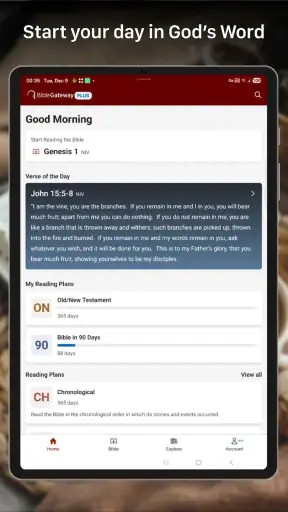
The most important part of a Bible app is not decoration; it is the path between opening the app and reaching the passage I want. Bible Gateway is built around that basic purpose, so it makes sense for regular devotional reading, checking a verse during a conversation, or following a planned reading habit. I found the experience most useful when I already knew the book or chapter I wanted. A clear destination reduces the amount of scrolling and makes the phone feel like a practical reference tool rather than an extra distraction.
For a first-time user, the larger challenge is deciding how to approach the material. Someone who knows the Bible well can move directly to a familiar passage. A newcomer may need patience while learning the structure of books, chapters, and verses. That is not a flaw unique to this app, but a digital interface can make the underlying organization feel more mechanical than a printed Bible. I recommend beginning with a short, familiar passage and learning the navigation gradually instead of expecting to understand every control immediately.
The app belongs in the Books & Reference category, and that description fits better than calling it a general reading app. Its purpose is focused: scripture access, listening, and study. I would not choose it for broad religious scholarship, a general ebook library, or a note-taking workflow. It is strongest when the Bible itself is the center of the task.
Readability depends on the person and the setting
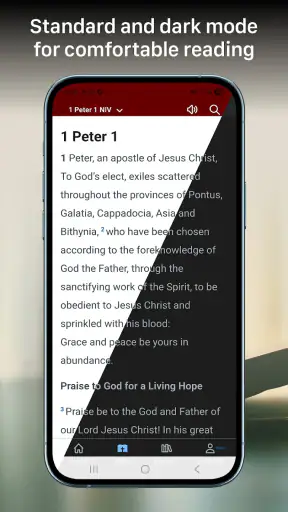
On a small phone, Bible text can become tiring when I read for a long stretch, especially in poor lighting or while holding the device at an awkward angle. The practical solution is to use a larger display when possible, keep the screen at a comfortable distance, and avoid treating the phone as if it were always as easy to read as paper. Readers with reduced visual acuity should test the text presentation early rather than assuming that every screen will be comfortable.
There is also a cognitive side to readability. Long passages demand attention, and switching between chapters or study material can interrupt concentration. I prefer using one focused session for reading and a separate moment for exploring references. That simple separation makes the app less mentally crowded. If I am tired, I use listening instead of forcing myself through several screens of text.
People who rely on screen magnification, enlarged system text, or other device-level adjustments should check how the app responds on their own phone. Those settings can make a major difference, but their effect may vary by screen and operating system. Bible Gateway supports devices running Android 7.0 or later, which covers many older phones, although an older handset may still feel less comfortable because of its display size or performance.
Listening changes when and where the app is useful
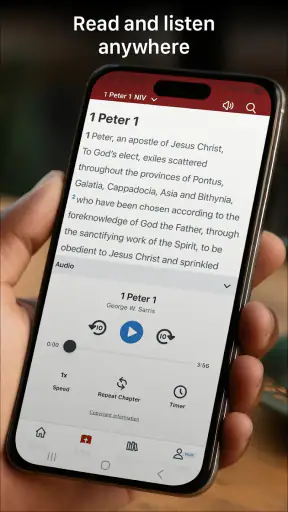
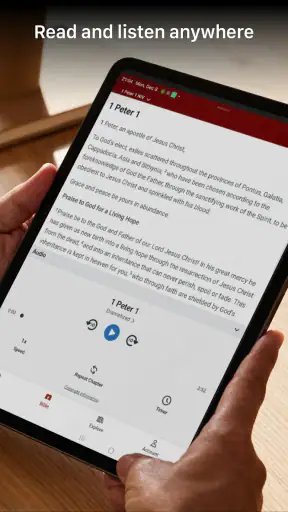
The listening option is one of the most practical parts of the experience. It lets me engage with scripture when reading is inconvenient, such as while preparing breakfast, walking on a familiar route, or resting my eyes after a long day. This is not just a convenience for busy people. It can also help readers who find sustained visual reading difficult, provided the audio presentation suits them.
I would still treat listening as a different experience rather than a perfect replacement for reading. It is easier to lose my place in a spoken passage, and I cannot scan backward through a paragraph as quickly as I can with my eyes. For study, I prefer reading because I can pause on a verse and compare nearby text. For simple exposure to a chapter, listening is often more natural.
There is an important situational trade-off here. Audio is helpful when my hands and eyes are occupied, but it is less suitable in a noisy room, on public transport without privacy, or anywhere that playing sound could disturb other people. Headphones may solve the privacy issue, but they introduce their own comfort and hearing considerations. I would not present listening as universally accessible; I see it as a valuable alternative that works best when the environment supports it.
Study is more useful when I set a narrow goal
The word “study” can make an app sound as though it will organize an entire learning system for me. In practice, I get better results when I decide what I am trying to do before opening it. I might read one chapter, listen to a passage, look up a verse, or compare wording during a personal study session. A narrow goal prevents me from wandering between reading and reference tasks.
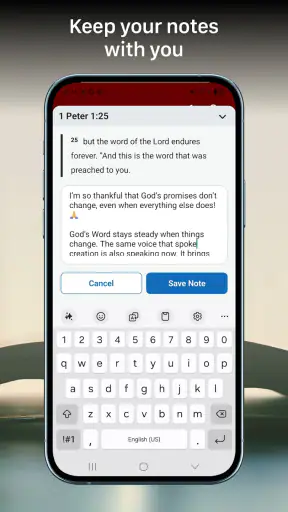
One workflow I found sensible is to keep a physical notebook or a separate notes tool nearby. I read a short section, pause to write one observation, and then return to the text. This avoids assuming that the Bible app itself must become my complete archive of thoughts. It also helps readers who find on-screen typing tiring or who prefer handwriting for reflection.
Another useful habit is to use the app as a quick reference during a group discussion, but not as the only preparation. Searching for a passage at the last second is convenient, yet a phone can also bring notifications and unrelated temptations. If I need sustained concentration, I prepare the passage beforehand and use the app only as a quiet reference during the discussion.
What the cost structure means for different users
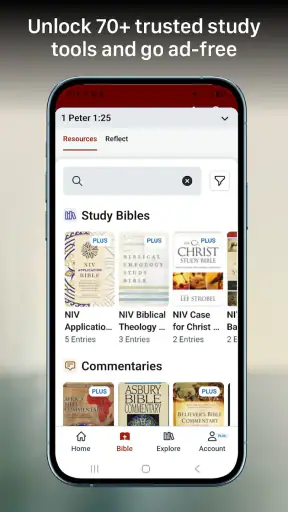
Bible Gateway is free to download and use as an entry point, which is a meaningful advantage for someone who wants to explore it without committing money first. Optional in-app purchases range from $3.99 to $58.99 per item. That range tells me to pay attention before buying anything, especially if I am looking for a simple reading tool rather than expanded study material.
The free starting point is best for casual readers, people checking whether the interface suits them, and anyone who mainly wants basic access to scripture. A person who expects every advanced resource to be included without cost may feel frustrated. I would spend time with the free experience first, identify the exact feature that matters to me, and only then decide whether a purchase is justified.
The app has an average rating of 2.7 from around 40 thousand ratings, alongside roughly 13 thousand written reviews. I would interpret that as a reason to test it personally rather than relying on popularity alone. More than 1 million installs show that it has reached a substantial audience, but a large user base does not guarantee that its navigation, reading comfort, or purchase structure will suit every person.
Motor and sensory considerations
Using any reading app involves repeated tapping, scrolling, and holding a device. For someone with limited hand movement, tremor, joint pain, or fatigue, even ordinary navigation can become an obstacle when a passage requires frequent screen interaction. I found that planning a reading section in advance reduces unnecessary movement. It is easier to read a complete chapter or listen to a section than to keep jumping between controls.
Voice interaction and device-level accessibility tools may help some users, but I would not assume that every control will behave perfectly with every assistive setup. The safest approach is to test the actions that matter most: opening a passage, starting audio, pausing, returning to the text, and changing location. If one of those steps is unreliable, the app may not be a good primary tool for that reader.
For people sensitive to sound, the listening mode raises different questions from the reading mode. Volume, background noise, headphone pressure, and the pace of spoken material can all affect comfort. A quiet reading session may be preferable even when audio is technically available. Conversely, someone who experiences eye strain may find that spoken scripture is the more sustainable option.
Attention differences also matter. A phone-based Bible can be easier to carry and easier to search than a large printed volume, but it sits alongside messages, alerts, and other apps. I get more from it when I silence interruptions and choose a defined session. That is a small behavioral adjustment, yet it makes a noticeable difference for anyone who is easily pulled away from a text.
Situational access beyond the home
The strongest everyday scenario is a short session built around a real constraint. Imagine that I have ten minutes before an appointment. I can open a selected passage, read a manageable section, and leave without carrying a book. If my eyes are tired, I can switch to listening. If I am in a quiet place, the phone is discreet and convenient. This kind of flexibility is where the app earns its place.
Travel creates both advantages and complications. A phone is lighter than a printed Bible and can be used in waiting rooms, on a break, or while staying somewhere unfamiliar. At the same time, screen glare, battery concerns, weak connectivity, and public surroundings can affect the experience. I would not build an important reading plan around the assumption that every location will be equally comfortable.
The app is also useful for people who move between formats. I might read in the morning, listen while doing a routine task, and return to the text later for closer attention. That flexibility is more valuable than simply having another digital copy, because it lets the same material fit different energy levels and environments.
Families should also consider the age guidance. Bible Gateway is rated Everyone 10+, so I would treat it as suitable for older children and general audiences while still using personal judgment about the content and the way it is introduced. Parents or educators may want to guide younger readers through passages rather than handing over the app without context.
Where the experience still creates barriers
The biggest barrier is that “available” does not always mean “comfortable.” A person may be able to open the app but still struggle with small text, repeated gestures, audio in a noisy environment, or the concentration required to move through long passages. Those issues are especially important for readers choosing an app because printed text, tiny controls, or sustained screen use already cause difficulty.
Another barrier is the gap between quick reference and deep study. Bible Gateway can be convenient for reaching scripture, but readers who want a highly structured research environment may prefer a specialist study platform or a printed study Bible. Those alternatives can offer a more deliberate page layout, visible cross-references, or a stronger sense of physical orientation. I would choose them when annotation and extended comparison matter more than portability.
The purchase range may also make the app feel less straightforward. Free access is welcoming, but optional paid items can complicate expectations. I recommend reading each purchase screen carefully and asking whether the extra material solves a problem I actually have. Someone who only wants a dependable passage reader should not feel pressured to turn it into a large study system.
Finally, the app is not ideal for every sensory context. Audio may fail in a loud setting, while text may fail when lighting is poor or the reader is visually fatigued. The best experience comes from treating reading and listening as complementary choices, not assuming one mode will work for everyone all the time.
Who should use it, and who should look elsewhere?
I would recommend Bible Gateway to readers who want scripture on a portable device, appreciate having both text and audio, and are willing to learn a focused navigation routine. It is especially practical for short devotional sessions, quick verse lookups, listening during suitable daily tasks, and people who alternate between visual and spoken access.
I would be more cautious if I needed extensive offline planning, a highly specialized accessibility workflow, or a full academic study environment. In those cases, I would compare it with a printed Bible, a dedicated study application, or a tool already known to work well with my particular assistive technology. The right alternative depends on whether my priority is tactile orientation, research depth, audio control, or maximum simplicity.
The developer, HarperCollins Christian Publishing, gives the app a recognizable focus, but the experience still depends heavily on the device and the individual user. A newer phone with a comfortable display may feel much easier than an older handset. Likewise, a reader who enjoys digital navigation may find it natural, while someone who depends on visible page landmarks may prefer paper.
My inclusive verdict
Bible Gateway succeeds when I treat it as a flexible access point to scripture rather than a universal solution for every reading need. Its free starting point, reading-and-listening approach, and portability make it useful in real life. I can fit it into a quiet morning, a short break, or a hands-busy moment in a way that a printed book cannot always match.
Its limitations are equally important. Comfort varies with screen size, lighting, audio conditions, motor control, attention, and familiarity with digital Bible structure. Optional purchases also mean that users should explore carefully before spending. The rating of 2.7 suggests that many people have encountered friction, so I would not recommend installing it blindly and assuming it will suit everyone.
My honest advice is to test the core reading and listening routines first. Open a passage, adjust your device for comfortable viewing, try audio in the environment where you expect to use it, and check whether the controls work with your normal accessibility settings. If those steps feel natural, the app can become a convenient companion for personal reading and reference. If they do not, choosing a different format is not a failure; it is the more inclusive decision.
For me, its real strength is choice of context: I can read when my eyes are ready, listen when they are not, and carry the material without adding a physical book to my day. That makes Bible Gateway worth trying, especially for readers who value flexibility, while its remaining barriers make personal testing essential before treating it as a primary Bible-study tool.


